
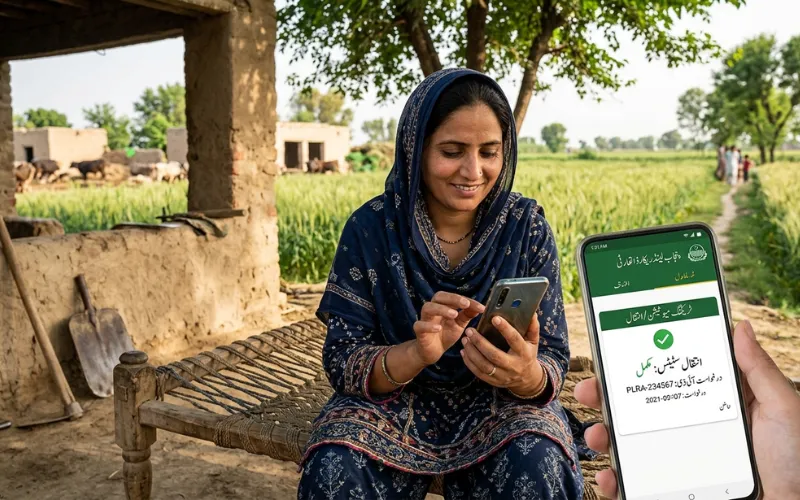

To track the status of a mutation on the PLRA app, download the Punjab Zameen app from the Google Play Store or App Store, register using your CNIC and mobile number, verify via OTP, and use the land transactions tracking section to monitor your mutation case as it moves through entry, verification, and attestation stages. The same status can also be checked on the PLRA portal at punjab-zameen.gov.pk using your CNIC and property reference details.
A mutation, or Inteqal, is the step that most property owners underestimate. The registry confirms a deed was executed. The Fard is the document that proves ownership. But neither the deed nor the Fard reflects the buyer as the legal owner in Punjab’s land revenue records until the mutation is formally attested. Understanding how to track where your mutation case stands at any given moment, and what each stage means, removes the uncertainty that has historically driven people to rely on intermediaries for updates.
What Mutation Is and Why Tracking It Matters
Mutation, or Inteqal, is the official process of updating the land revenue record to reflect a change in ownership. When you buy a property, inherit land, receive it as a gift, or acquire it through a court order, the registry or legal document establishes the transaction between the parties. The mutation is what updates the government’s own record, the Jamabandi and the Fard, to show the new owner’s name. Until the mutation is attested, the Fard still shows the previous owner regardless of what the sale deed says.
This gap between registry and mutation is where most post-transaction anxiety lives. A buyer may have completed the registry, paid all dues, and received the deed, but until the mutation is attested and the updated Fard is generated, the official land record has not caught up with the legal reality of the transaction. Tracking the mutation status tells you exactly how far through this process your case has progressed, whether it is pending entry, under verification, awaiting field inquiry, or fully attested.
The Punjab Zameen App and the PLRA Portal
The Punjab Land Records Authority operates two primary digital platforms for tracking land transactions. The Punjab Zameen mobile app, available on both the Google Play Store and Apple App Store, is the official mobile interface for land record services. It is managed directly by PLRA and allows citizens to get Fards, track land-related transactions, and access ownership records from a smartphone.
The PLRA web portal at punjab-zameen.gov.pk provides the same services through a browser on any device. Both platforms connect to the same central PLRA database and display identical information. The choice between them is one of convenience rather than functionality.
A third interface, the Digital-PLRA app and the rod.pulse.gop.pk portal, focuses specifically on registry and deed records rather than mutation status tracking. For tracking an Inteqal case, the Punjab Zameen app and the main PLRA portal are the appropriate channels.
Setting Up the Punjab Zameen App for Mutation Tracking
Before you can track a mutation through the app, your CNIC must be registered and linked to your PLRA account. This is a one-time setup step that also enables all other PLRA services on your device.
Download the Punjab Zameen app from the official Play Store or App Store. Do not download from any third-party source. Open the app and select the option to create a new account. Enter your 13-digit CNIC number, your active mobile number registered with NADRA, and a valid email address. An OTP will be sent to your mobile number. Enter the OTP to complete verification. Your account is now active and your CNIC is linked to your PLRA profile.
If the mobile number you want to use is different from the one linked to your CNIC in the NADRA database, the OTP will not be delivered. In that case, you will need to either update your mobile number with NADRA or visit an Arazi Record Centre to resolve the linkage before the app can be used for authenticated services.
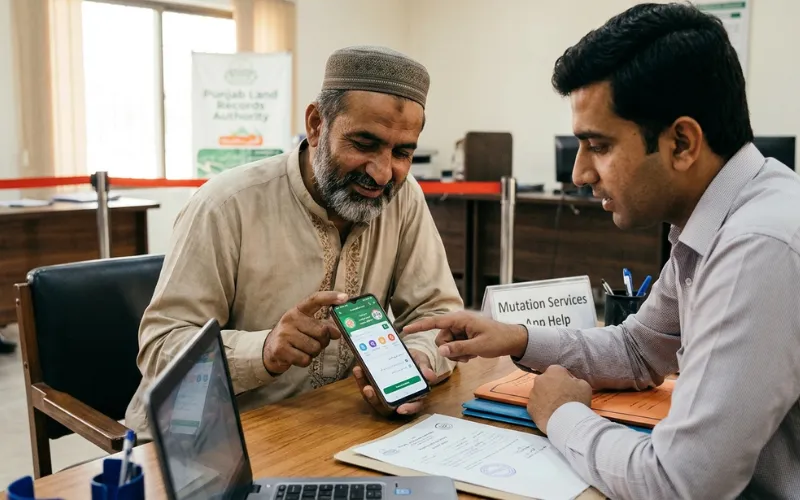
How to Track Mutation Status on the App
Once logged in, navigate to the section for land transactions or mutation status. The app displays all mutation cases associated with your CNIC and the properties linked to your record. Each case appears with its reference number, the type of mutation, and its current stage in the processing workflow.
The stages a mutation moves through in the PLRA system are:
- Application submitted and mutation entered into the digital land record system
- Case forwarded to field revenue staff, which may involve a Patwari verification for specific types of mutations
- Verification report received from field staff
- Case reviewed by the Assistant Director of Land Records or Land Revenue Officer
- Mutation attested, ownership record updated, and new Fard generated
The app shows which of these stages your case is currently at. When the mutation is fully attested, the status updates to reflect completion and the new Fard showing the updated owner becomes available for download within the app.
Tracking Mutation Status on the PLRA Web Portal
For those using a computer or preferring the browser version, the same tracking is available on the PLRA portal. Log in to your account at punjab-zameen.gov.pk using your CNIC and password. Navigate to the mutation or Inteqal section of your dashboard. The portal lists your pending and completed mutation cases alongside their status indicators.
The portal also accepts the mutation request number or the Inteqal number that was issued when your case was submitted at the Arazi Record Centre. If you have this reference number, you can enter it directly on the relevant portal page and retrieve the status without logging in, which is useful for checking from a public or shared device without exposing your full account.
The Different Types of Mutation and How They Affect Tracking
Not all mutations follow the same processing timeline, and the type of mutation you filed determines what stages appear in the tracking system and how long each stage typically takes.
A sale mutation or Bay Inteqal follows from a completed registry at the Sub-Registrar office. Under the current e-registration system in Punjab, the mutation is automatically entered in the PLRA system when the deed is transmitted from the Sub-Registrar’s office after registration. This automatic entry is the first status update you would see in the app. Attestation by the Sub-Registrar or ADLR then follows.
An inheritance mutation takes a different path. After heirs submit the required documents at the ARC, including the death certificate, family registration certificate, CNIC copies of all legal heirs, and an affidavit, the mutation is entered and the file is forwarded to field revenue staff for Shajra Nasab verification. This field stage means inheritance mutations often show a longer period in the field verification stage before attestation.
A gift mutation or Hiba Tamleek requires the donor and recipient to both appear at the ARC with biometric verification. Once the gift deed is registered and the mutation entered, it follows a similar attestation path to a sale mutation.
A partition mutation or Wanda involves splitting a jointly owned property among co-owners. This type often involves field demarcation and takes longer because the field staff must verify the proposed partition against the physical land boundaries before attestation can occur.
The tracking app reflects these different pathways. If your mutation case shows an extended period in the field verification stage, it is likely because a Patwari or Girdawar has been assigned to conduct an on-site inspection and their report is pending. This is normal for inheritance and partition mutations.
Documents Required Before You Can Track
To track mutation status meaningfully, you need at minimum the CNIC that the mutation was filed under and, ideally, the mutation case number or Inteqal number issued at the ARC when the case was submitted. The case number is printed on the acknowledgment slip you receive at the counter. Keeping this slip safe from the day of submission is strongly recommended.
If you do not have the case number, the app’s property-based search, using your khewat and khasra number, can pull up mutation activity associated with a specific property. This is the fallback search method when the case number is not available.
What a Mutation Alert Subscription Does
The PLRA system includes a subscription alert feature that is closely related to mutation tracking. By subscribing to alerts for a specific property, you receive notifications whenever any mutation or change is proposed or entered against that property in the PLRA database. This is more proactive than checking status manually, because you are notified automatically rather than needing to log in and check.
This feature is particularly valuable for landowners who are not actively involved in a current transaction but want to know if anyone attempts to enter a mutation against their property without authorization. Fraudulent mutations and unauthorized record changes have historically been a serious problem in Punjab’s land system. The subscription alert converts the tracking system from a passive verification tool into an active protection mechanism.
To subscribe, log in to the PLRA portal and locate the alert or subscription service for a property, typically found under the property details section. Enter the relevant property details and activate the alert linked to your CNIC and mobile number.
What to Do If the Mutation Status Remains Stuck
If your mutation case shows no movement for an extended period, there are specific steps to take rather than simply waiting. First check whether the status is stuck in the field verification stage. If so, the delay is almost certainly because the field staff has not yet submitted their report. You can contact your local Arazi Record Centre using the PLRA helpline at 042-111-22-22-77 and inquire about the field inquiry’s status for your case number.
If the case has been verified by field staff but not yet attested by the ADLR, the delay may be due to a backlog at the district level. Filing a complaint through the PLRA online complaint system with your case reference number typically prompts an inquiry into the delay.
If the mutation status shows a rejection or an objection raised, the system will display the reason. Common reasons include a discrepancy between the name on the CNIC and the name on the deed, a pending stay order or court injunction against the property, a co-owner objection, or a document that was submitted incorrectly. Each of these has a specific resolution path that will need to be followed at the ARC before the mutation can proceed.
Confirming Mutation Completion and Getting the Updated Fard
When the mutation status updates to attested, the processing is complete. The land record has been updated with the new owner’s name. The next step is to download the updated Fard through the app or portal. The Fard generated after mutation attestation will show the new owner’s name, confirming that the PLRA database reflects the completed transfer.
For properties transferred through the e-registration system, this updated Fard should be available almost immediately after attestation because the registry-to-mutation pipeline is automated. For manually processed mutations, particularly inheritance and partition cases, the Fard may take a brief additional period to generate after attestation.
This updated Fard is the document that the property owner should download, store, and verify against all other documents in their ownership chain. It is the authoritative proof that the mutation has been completed, the ownership record has been corrected, and the land revenue system now recognizes you as the legal owner of record.
Frequently Asked Questions
What is the difference between mutation and registry and why does both matter?
The registry is the legal document recording a property transaction at the Sub-Registrar’s office. It creates a private legal record between buyer and seller. Mutation, or Inteqal, is the update of the government’s land revenue record to reflect the new owner. Until mutation is attested, the Fard and the Jamabandi still show the previous owner regardless of the registry. Both are required for complete, verifiable ownership in Punjab.
How do I access the Punjab Zameen app for tracking mutation status?
Download the Punjab Zameen app from the Google Play Store or Apple App Store. Register using your CNIC, mobile number, and email address. Verify via OTP. Once logged in, navigate to the mutation or land transactions section to view the status of all mutation cases associated with your CNIC and linked properties.
Why is my mutation stuck in the field verification stage?
Field verification is a required step for certain mutation types, particularly inheritance and partition mutations, where a Patwari or Girdawar must conduct an on-site inspection and submit a report. This stage can take longer than others due to field staff workload or scheduling. Contact the PLRA helpline at 042-111-22-22-77 with your case number to inquire about the specific status of the field inquiry.
Can I track a mutation filed by someone else for a property I am buying?
You can track the mutation if you have the mutation case number issued at the ARC, which you can enter on the PLRA portal without a full login to retrieve the status. Alternatively, if the property details are linked to your CNIC through the Fard Baraye Bay process, your account may reflect associated transaction activity. The seller can also share the case number and you can use it to verify directly on the portal.
What happens when mutation is shown as rejected on the app?
A rejected or objected mutation means the system has flagged a problem that must be resolved before processing can continue. The app displays the reason for the rejection. Common causes include name discrepancies between the CNIC and deed, a pending court stay order, a co-owner objection, or incomplete documents. Each must be addressed at the Arazi Record Centre by submitting the corrected or additional documentation.
How long does the complete mutation process take in Punjab?
For sale mutations linked to e-registration, the mutation entry is automatic after the Sub-Registrar transmits the deed and attestation follows relatively quickly. For inheritance mutations, the field verification stage can add several weeks depending on field staff availability. A completed mutation under normal conditions, with all documents correct and no objections, typically takes between two weeks and several weeks depending on the mutation type and district workload.